Exciting News: Another Tech Site is Becoming Ask Mike Tech!
Another Tech Site is officially transitioning to Ask Mike Tech! Read about what this means for the blog, new services available, and how to schedule a free consultation.
Another Tech Site is officially transitioning to Ask Mike Tech! Read about what this means for the blog, new services available, and how to schedule a free consultation.

Transform your iPhone home screen into a personalized dashboard. Learn how to use widgets, hide unused pages, and create Smart Stacks to customize your setup.

Catch up on our summer seasonal review featuring our most popular tech tips and tricks, from mastering your iPad to uncovering hidden iPhone features. Learn how to boost your productivity and get the most out of your devices.
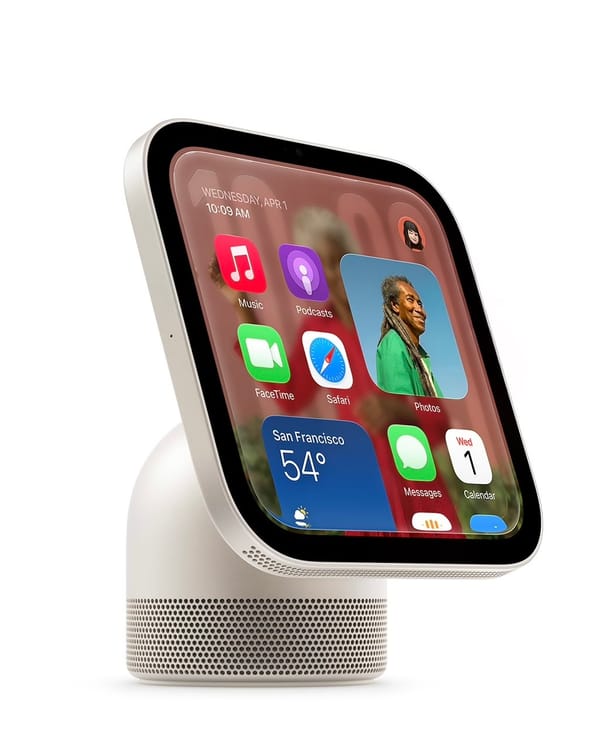
Apple’s "Welcome Home" event introduced the new Apple HomeView, HomePod mini 2, and Apple TV 4K. Get the full breakdown of features, pricing, and the new Apple Home Collection.

Discover why the classic advice "have you tried turning it off and on again?" is actually the ultimate tech fix. Learn how a simple reboot clears memory, closes stuck programs, and resolves common glitches.
Get ready for Apple's "Welcome Home" event! We are breaking down all the rumors, including a new smart home hub with a 6-inch display, a refreshed HomePod mini 2, an upgraded Apple TV 4K, and exciting new smart home partnerships with LG and ADT.

Turn your iPhone into a portable, high-quality document scanner and ditch the bulky home printer for good. Learn how the built-in Notes app lets you easily digitize receipts, contracts, and more—anytime, anywhere.

We all assume our photos are safely backed up. But one wrong setting could mean losing everything. Here is how to check your iCloud settings and keep your memories safe.

Have a physical library or gym card that doesn't support Apple Wallet? Learn how to turn any barcode into a digital pass on your iPhone.

Apple’s latest updates are here. Learn about the practical new features in iOS 27, macOS 27 Golden Gate, and watchOS 27 that will actually make your daily routine easier.

Did you know you can undo a mistake on your iPhone just by shaking it? Learn how to use this hidden feature to quickly fix typos and accidental deletions.
From Apple's first foldable phone to the new iPhone 18 Pro and AirPods 5, here is everything you need to know about the latest announcements—minus the overly technical bits.

Should you install that update right now, or let it sit? A 30-second gut check to figure out the timing, with the honest answer: yes eventually, but not always today.

Stop taking endless scrolling screenshots. Here is the hidden built-in trick to turn any webpage into a single, searchable PDF on your Apple device.

Is your iPhone or iPad battery draining too fast? Learn how to find the hidden culprits in your settings and easily fix them to make your device last all day.