
We all like to think we’re invincible, or at least that our phones are just for doomscrolling and texting. But your iPhone can actually save your bacon in an emergency—if you take two minutes to set it up right.
If something happens to you, first responders can look at your Medical ID from your lock screen without needing your passcode. It can show them your allergies, medical conditions, and who to call.
Here is how to get it sorted:
Open the Health app on your iPhone.
Tap your profile picture or initials in the top right corner.
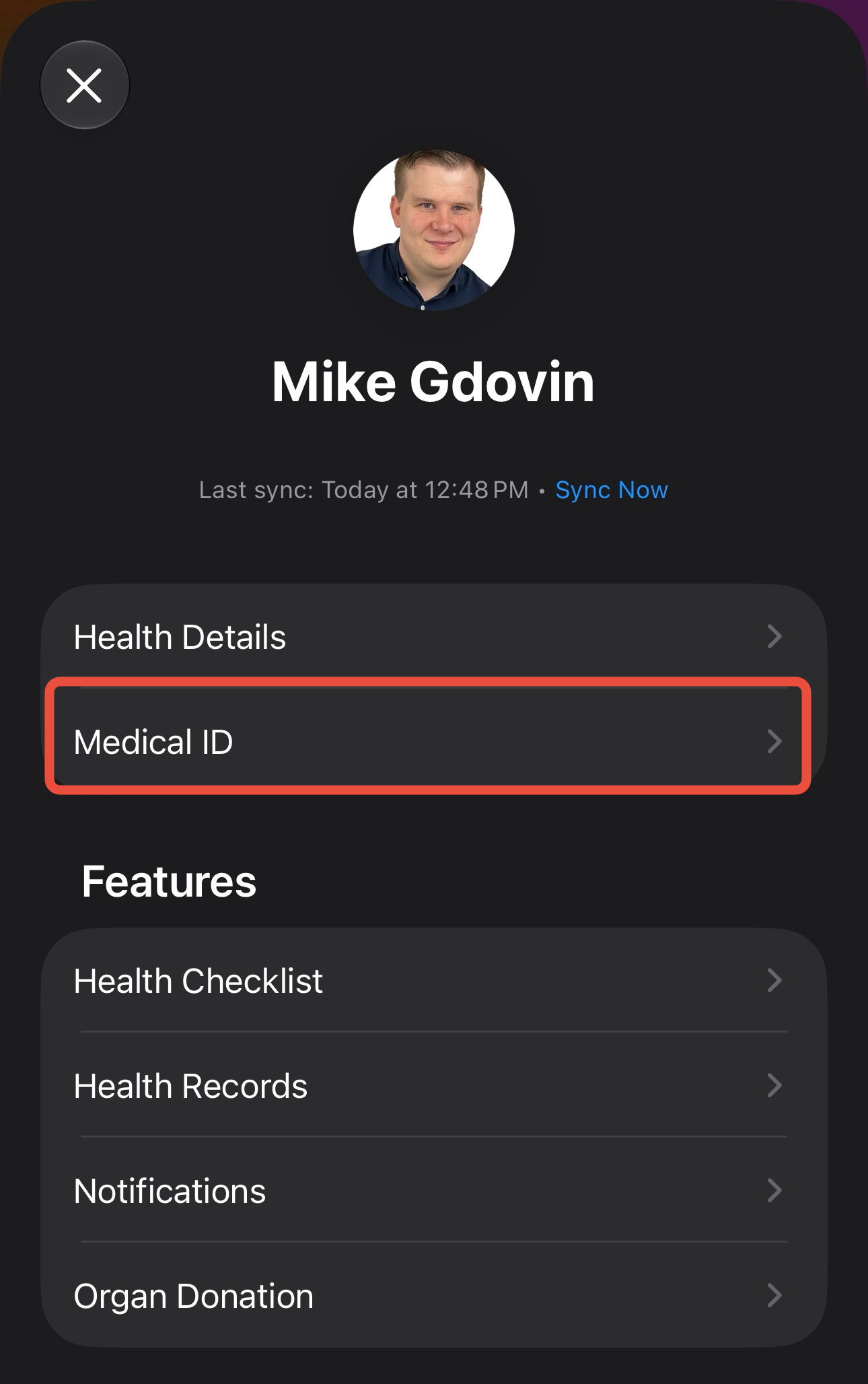
Select Medical ID, then tap Edit.
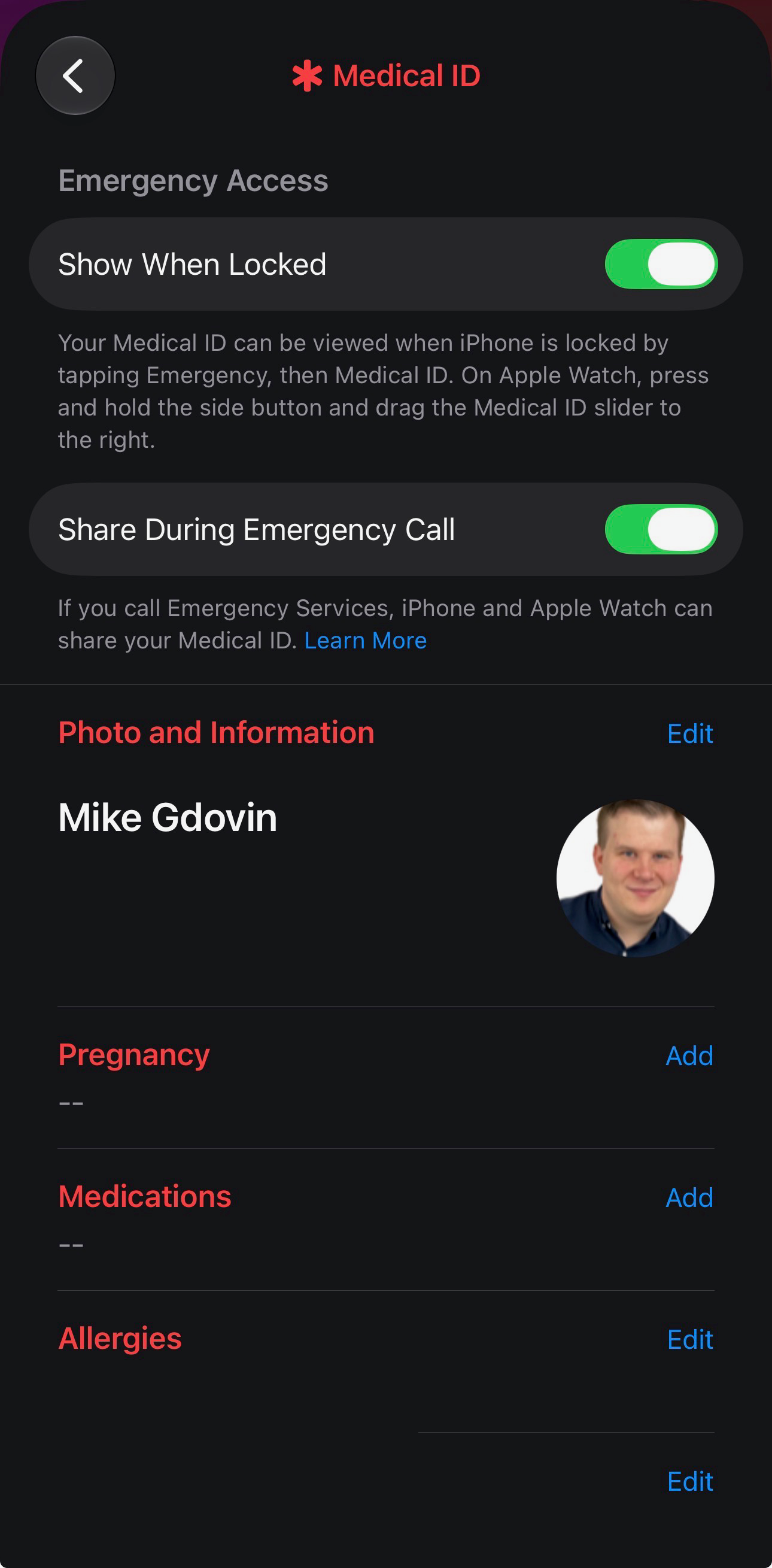
Fill in the important stuff—your medical conditions, allergies, and blood type.
Scroll down to Emergency Contacts and add the people you actually want answering the phone in a crisis.
Make sure Show When Locked is toggled on. If this isn't on, nobody can see it, which kind of defeats the whole purpose.
Once you do this, your emergency contacts will also get a text with your location if you ever use the Emergency SOS feature on your phone. Go set this up now. It takes less time than making a cup of coffee, and it's a whole lot more important.