
We’ve all had that split-second of pure panic when a phone slips out of our hand. While a cracked screen is a massive headache, losing all your photos, messages, and contacts because you didn't have a backup is a total nightmare.
The good news? Apple actually makes this pretty painless to set up. You just have to flip a few switches so your phone does the heavy lifting automatically.
Here is how to make sure your data is safe if the worst happens:
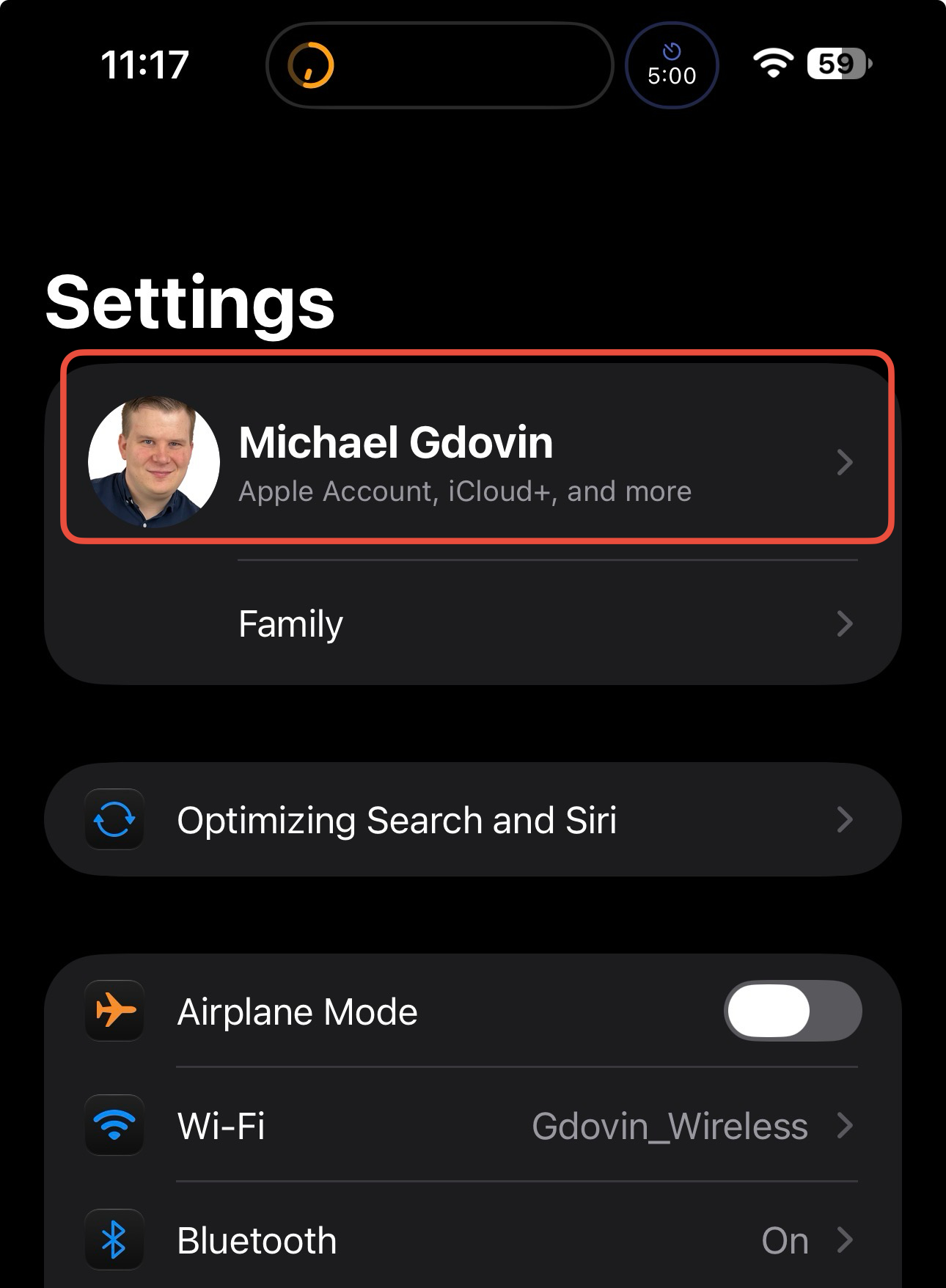
Open your Settings app and tap your name right at the top.
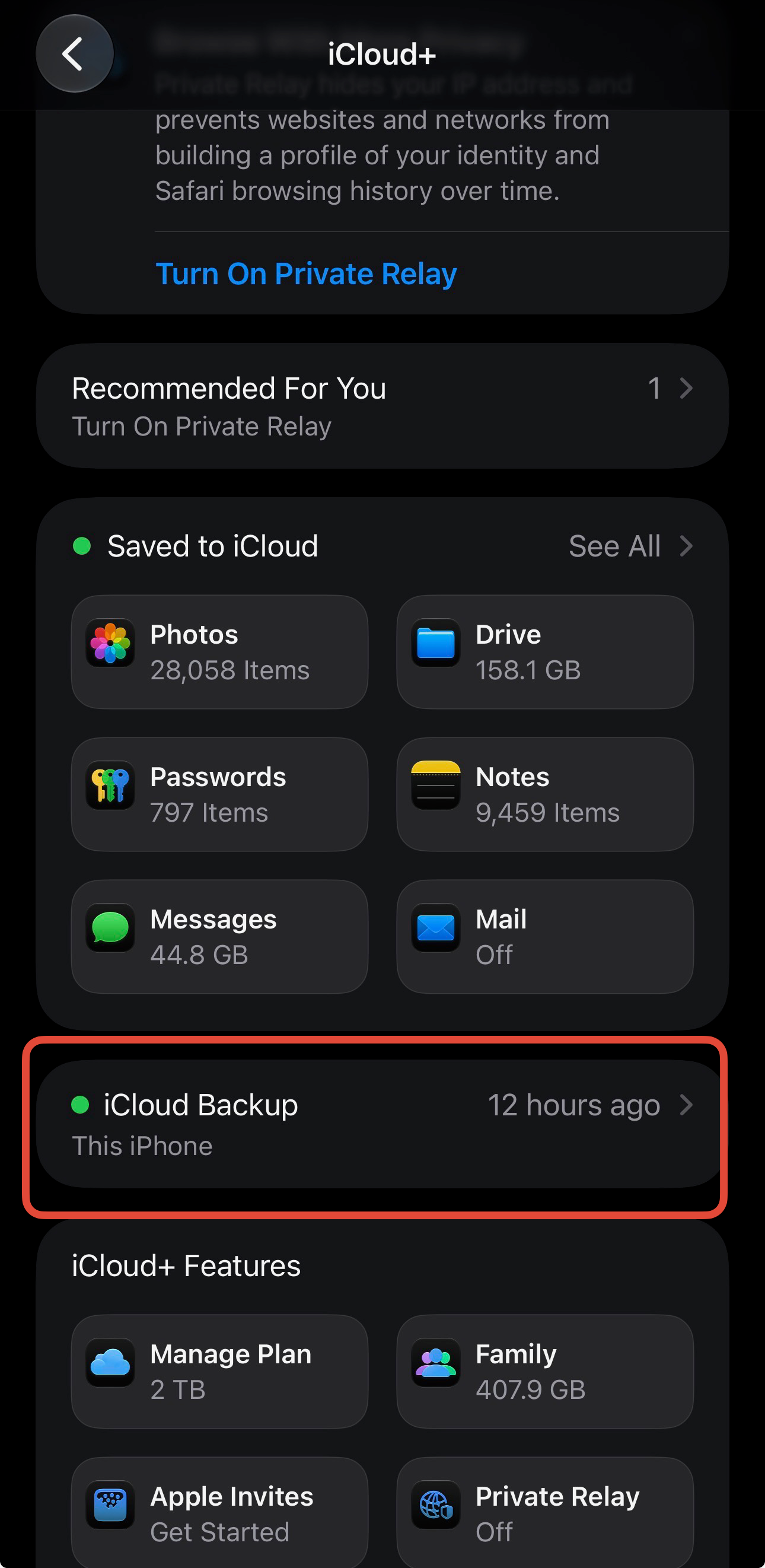
Tap iCloud, then tap iCloud Backup.
Make sure Back Up This iPhone is toggled on.
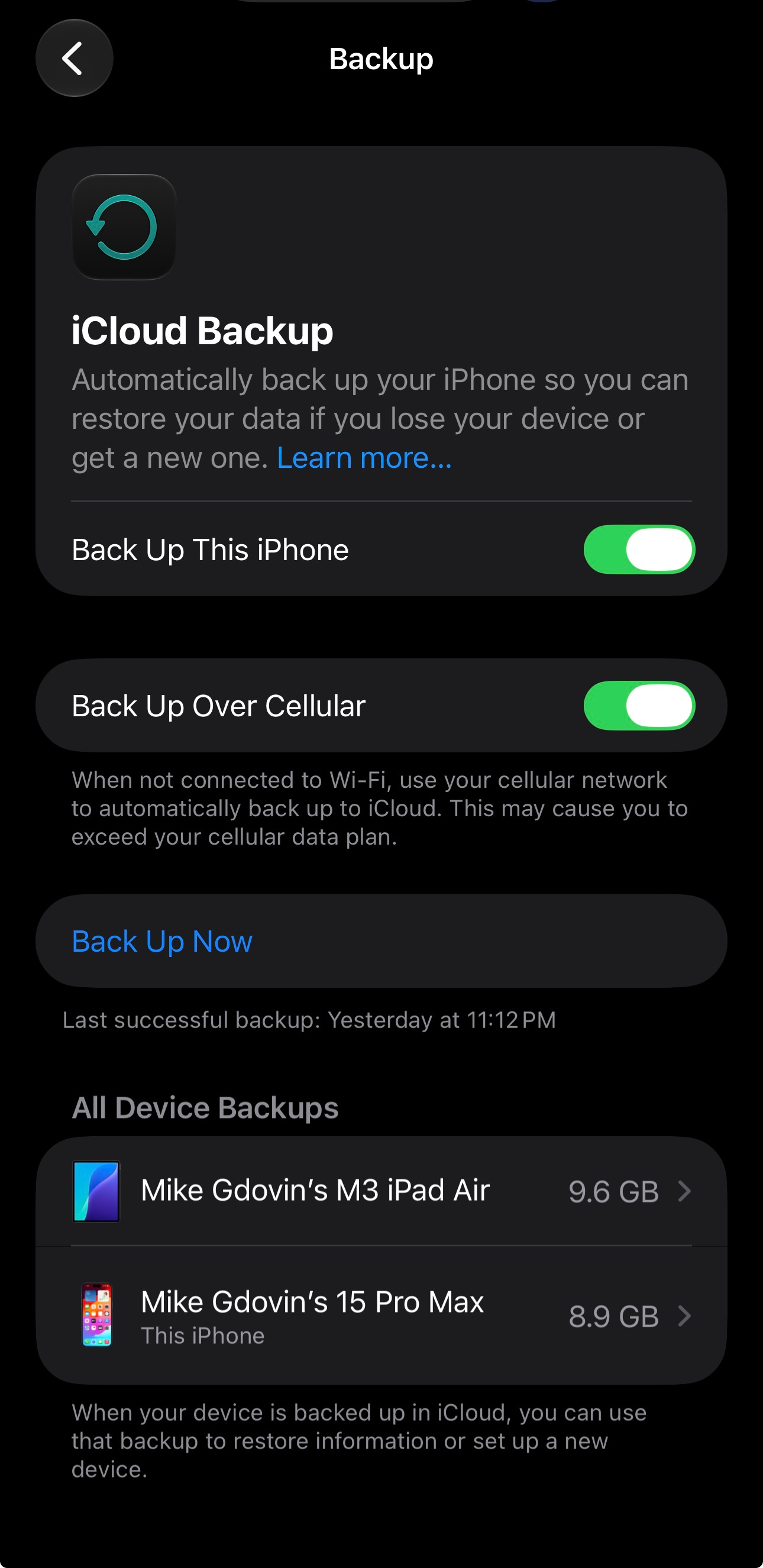
That’s it. As long as your phone is plugged in, locked, and connected to Wi-Fi (like when you're asleep), it will back itself up every single night.
If you see a warning that you're out of iCloud storage, don't just ignore the notification until it goes away. Apple only gives you 5GB for free, which is basically nothing these days. It is absolutely worth the couple of bucks a month to upgrade your storage so your backups don't fail.
Go check your settings right now. Future you will thank me.
If you found this helpful, reply and let me know—or share it with that one friend who always seems to be dropping their phone in a pool.